In your salon
Display a QR code on your screen. Your client scans with their own phone and can pay straight away. Sovado updates the payment status automatically.
Paying with a QR codeSOVADO PAY
At the counter or from anywhere. Let clients pay using a link or QR code. Payments, clients and appointments come together in Sovado.
Card: 2% + €0.25 · iDEAL: €0.45€0 per month · Includes Stripe processing fees
YOUR WAY
From paying ahead to the last moment at the counter. Sovado Pay moves with your working day.
Display a QR code on your screen. Your client scans with their own phone and can pay straight away. Sovado updates the payment status automatically.
Paying with a QR codeAccept contactless payments with Tap to Pay. Use a compatible phone as your payment terminal and receive the payment directly in Sovado.
Discover Tap to PayRequest the full amount or a deposit in advance using a payment request. Linked to the appointment already in your calendar.
Sorted in advanceShare a payment link for a treatment, product or outstanding amount. Your client pays wherever it suits them.
From request to paid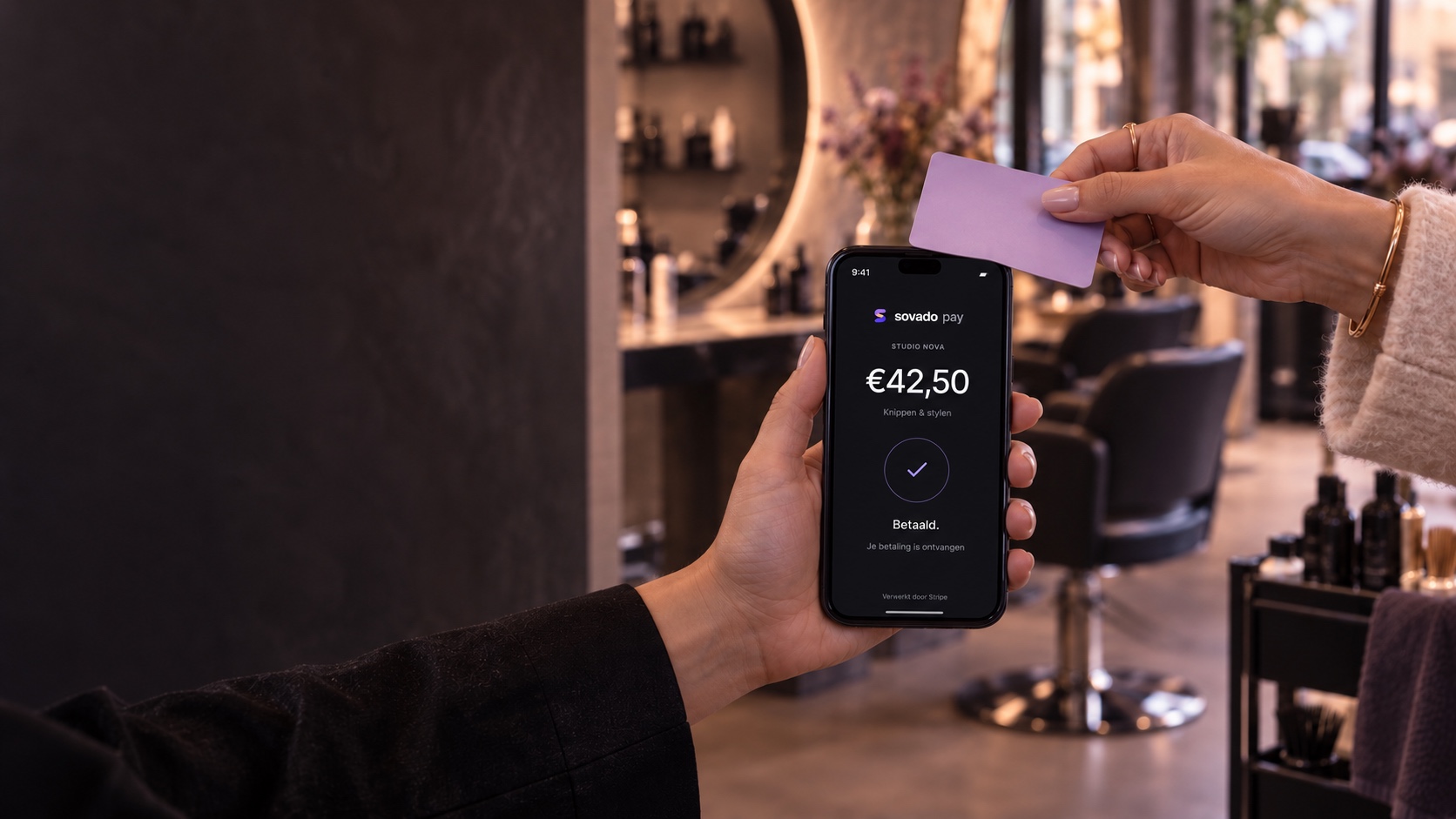
AT THE COUNTER
From a great treatment to a smooth goodbye. With Tap to Pay, your client pays contactlessly on your phone.
Discover Tap to PayCONTACTLESS PAYMENTS
Your client holds a contactless card or wallet near your phone. The amount is ready in Sovado. That’s the simplicity behind Tap to Pay.
Use Tap to Pay on a supported device.
The Sovado app is coming to


 sovado paySTUDIO NOVA€42.50Cut & style
Your client chooses.
Stripe processes the payment.




SORTED IN ADVANCE
Send a payment request for the full treatment or a deposit. Choose the amount and link the existing appointment. Sovado keeps track of what you’ve received.
CONNECTED, EVEN FROM AFAR
Email a payment request or display a QR code on your screen. Your client can pay straight away on their own phone. Sovado checks the payment status and updates your overview.
sovado payPayment requestROOM FOR YOUR WORKING DAY
Send a payment request between appointments. Check what’s already been paid. Manage it all in the same workspace as the rest of your salon.
Explore payment requests
WHEN PLANS CHANGE
Open a transaction and request a full or partial refund. Right from Sovado. Stripe processes the refund; you track its status in the same place.
SIMPLE PRICING
No monthly Sovado Pay fee. You only pay when a payment succeeds.
CARD PAYMENTS
per successful card transaction
A fixed fee per transaction. No percentage.
The fee for the same amount, by payment method.
| Payment | Card | iDEAL |
|---|---|---|
| €50 | €1.25 | €0.45 |
| €100 | €2.25 | €0.45 |
| €150 | €3.25 | €0.45 |
Card payments cost 2% of the amount plus a single €0.25 fee per transaction. For iDEAL, you pay only €0.45 per transaction. There is no additional Stripe fee. Your Sovado software plan is separate.
IN TRUSTED HANDS
Payments are processed by Stripe. Your client enters card details through Stripe’s payment fields. Sovado receives the payment status and connects it to your records.
Your client can pay with iDEAL | Wero, Bancontact, Visa, Mastercard, American Express, Maestro, Discover, Apple Pay and Google Pay. Apple Pay and Google Pay are offered on compatible devices and browsers with a configured wallet.
Each successful card payment costs 2% of the amount plus €0.25 per transaction. iDEAL costs a fixed €0.45 per transaction, with no percentage fee. There is no monthly Sovado Pay fee and Stripe processing fees are included. Your Sovado software plan is separate.
Payment links and QR payments do not require a separate terminal: your client pays on their own phone. With Tap to Pay, you can also accept contactless payments on a compatible salon phone.
Yes. Create a payment request for the amount you want and link it to the client and appointment. Once paid, the received amount appears with the appointment. This is a separate payment request; payment during online booking is not part of this feature yet.
Yes. Open the transaction in Sovado Pay and request a full or partial refund. Track its status with the payment. Stripe handles the processing.
Sovado tracks the payment status automatically. If a payment request emailed from checkout is still open after 24 hours, Sovado schedules a reminder to your client. You can see outstanding amounts and delivery status in your overview. Showing only a QR code does not provide an email address to send a reminder to.
In your Sovado Pay overview. You can see received payments, open requests and refunds, and search and filter by payment status and method.
When you select an appointment for a payment request, Sovado updates its payment status and received amount after Stripe confirms the payment. Checkout uses the client and appointment you selected.
Yes. Sovado Pay is optional. Activate it when you want to receive online payments. Other available features depend on your Sovado plan.
SOVADO PAY
Make payments part of your working day. In the same workspace where you already run your salon.
Get started with Sovado PayCard: 2% + €0.25 · iDEAL: €0.45 per transaction€0 per month. Includes Stripe processing fees. Your Sovado software plan is separate.